
Find and edit the correct subshop’s theme without changing the wrong shop.
This guide is for administrators in an enabled multishop system. Multishop support belongs to Pro; the system and subshops must also be set up under your agreement. Each subshop has its own theme configuration. The top level is not one theme editor for every shop.
Switch to the correct subshop
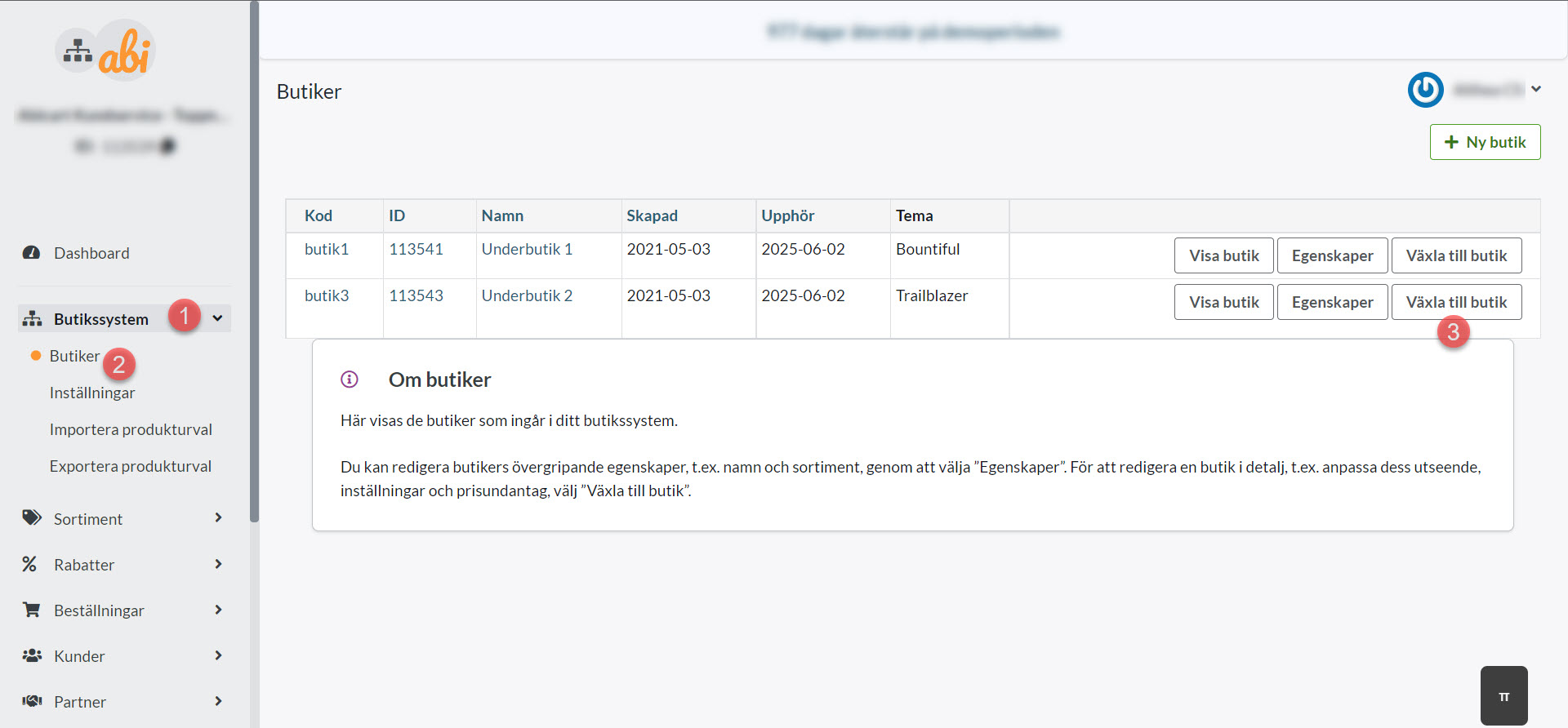
Open Shop system → Shops at the top level.
Find the subshop by name and shop ID. Select Switch to shop. Viewing its storefront is different from switching its administration context.
Confirm the shop name and ID in admin before continuing.
Identify the active theme and correct variant
Open Appearance → Themes in the subshop and identify the theme marked Active. Edit it when changing the current shop. An added theme may be a saved, inactive alternative; editing it does not automatically make it active.
Themes with Content, Style and Addons tabs use these for page content, logo and features. A separate Themes (TPL) menu belongs to another theme variant. Choose instructions for the active variant, rather than a name remembered from another shop. Identify the active theme before making changes if it is unknown.
Save and check the correct shop
Preview the subshop at its own address, language and screen size. Save only intended changes. Entering a Meta CAPI key in one subshop theme, for example, does not configure every other shop; check the correct integration and keep keys private.
If themes appear missing, first check shop context and permissions. Do not add, activate or delete themes to restore a list that may belong to another shop. Give support the shop ID and expected theme name.
Quick start
Shop system → Shops → Switch to shop.
Check the subshop ID.
Edit the correct active theme and variant.
Save and check that subshop’s storefront.
Multishop support in Pro does not mean that all subshops share a theme or its settings. Check the system setup and add-ons under your agreement.
