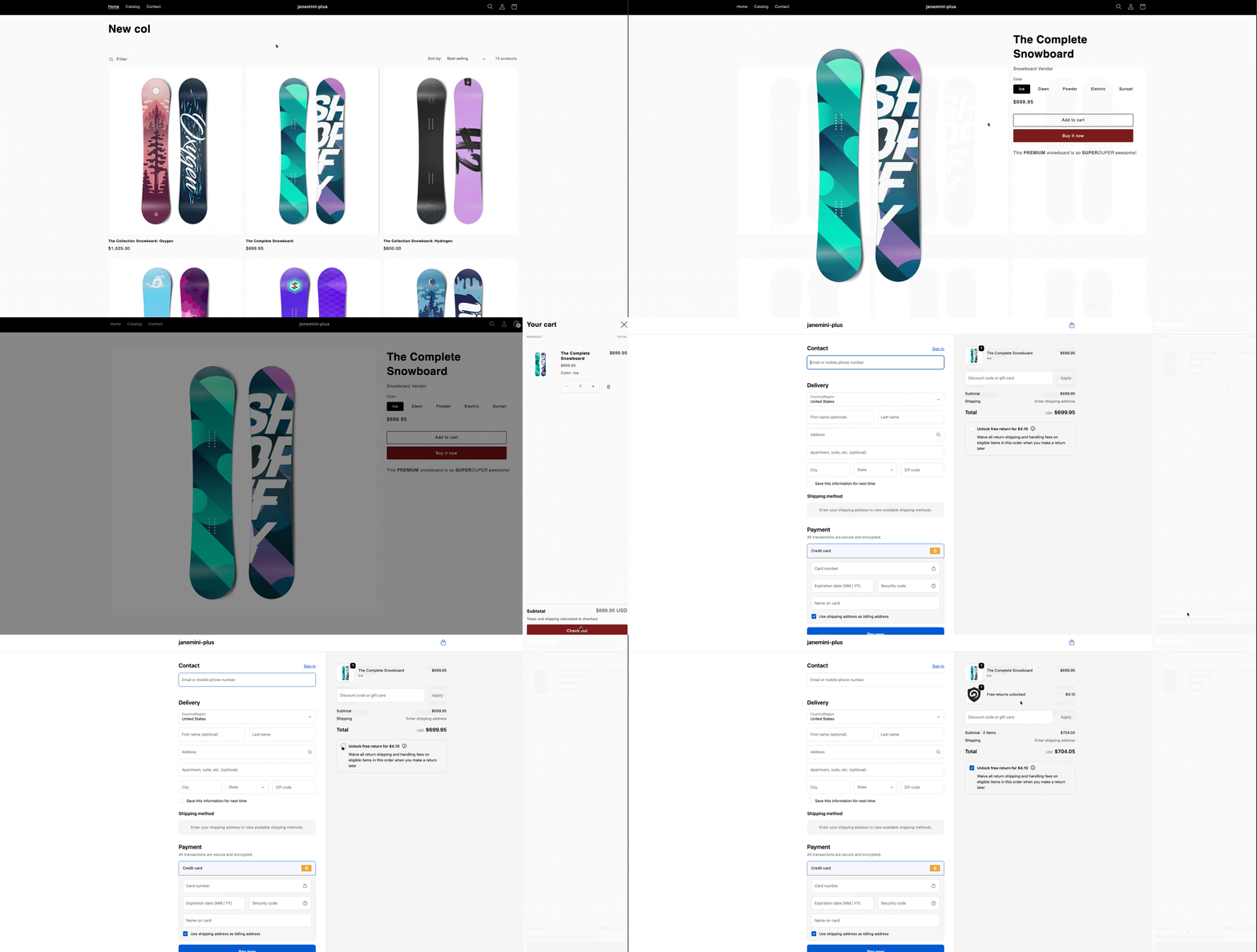
Checkout+ lets customers pay a small fee during checkout to secure free returns later. Once enabled, shoppers can opt in for Checkout+ from the cart page before moving on to checkout.
If your shop is on the Shopify Plus plan, you can display Checkout+ directly on the checkout page. This gives customers the opportunity to opt in for Checkout+ right before they complete their purchase.
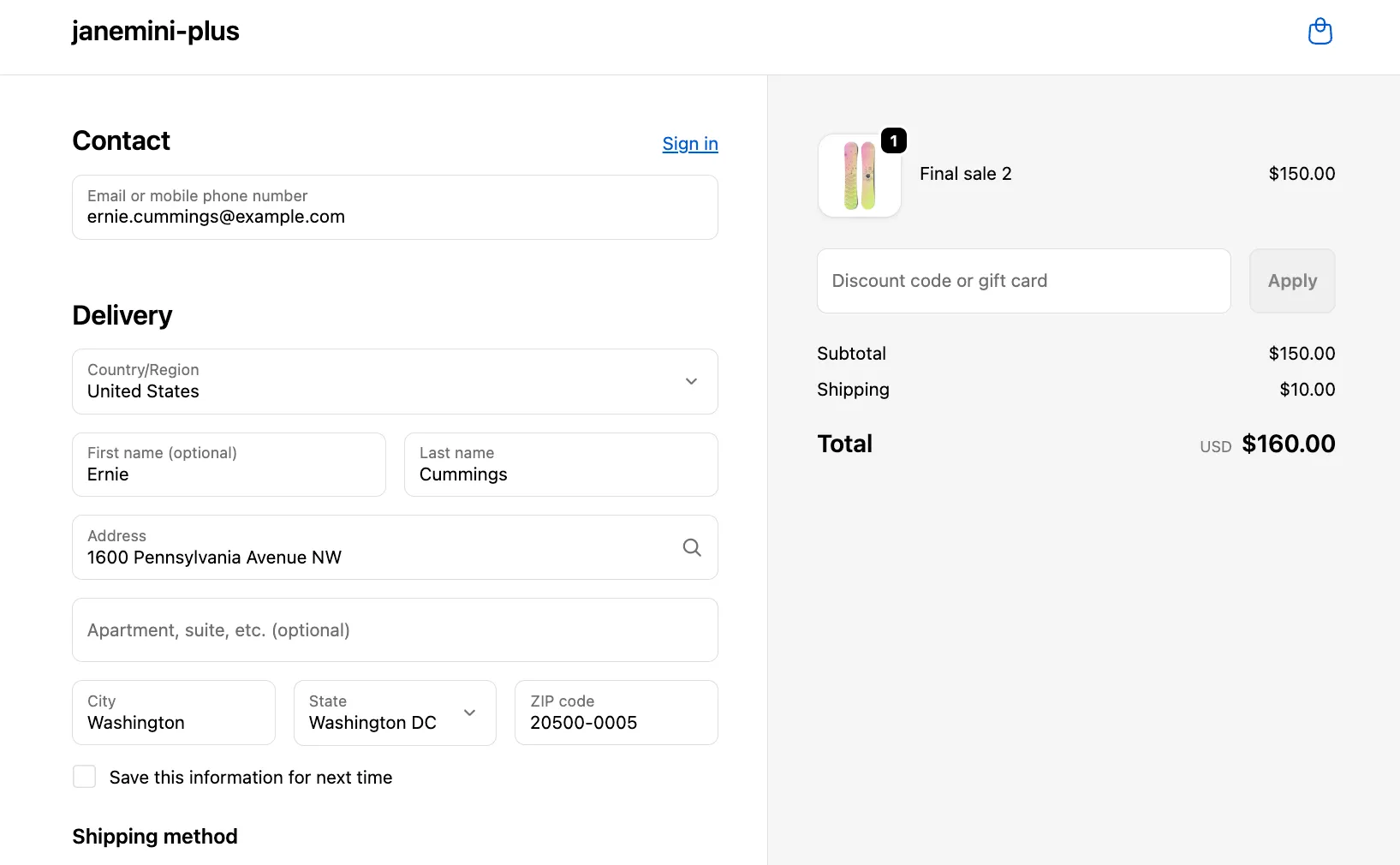
Here’s a preview of a checkout page without Checkout+ displayed:
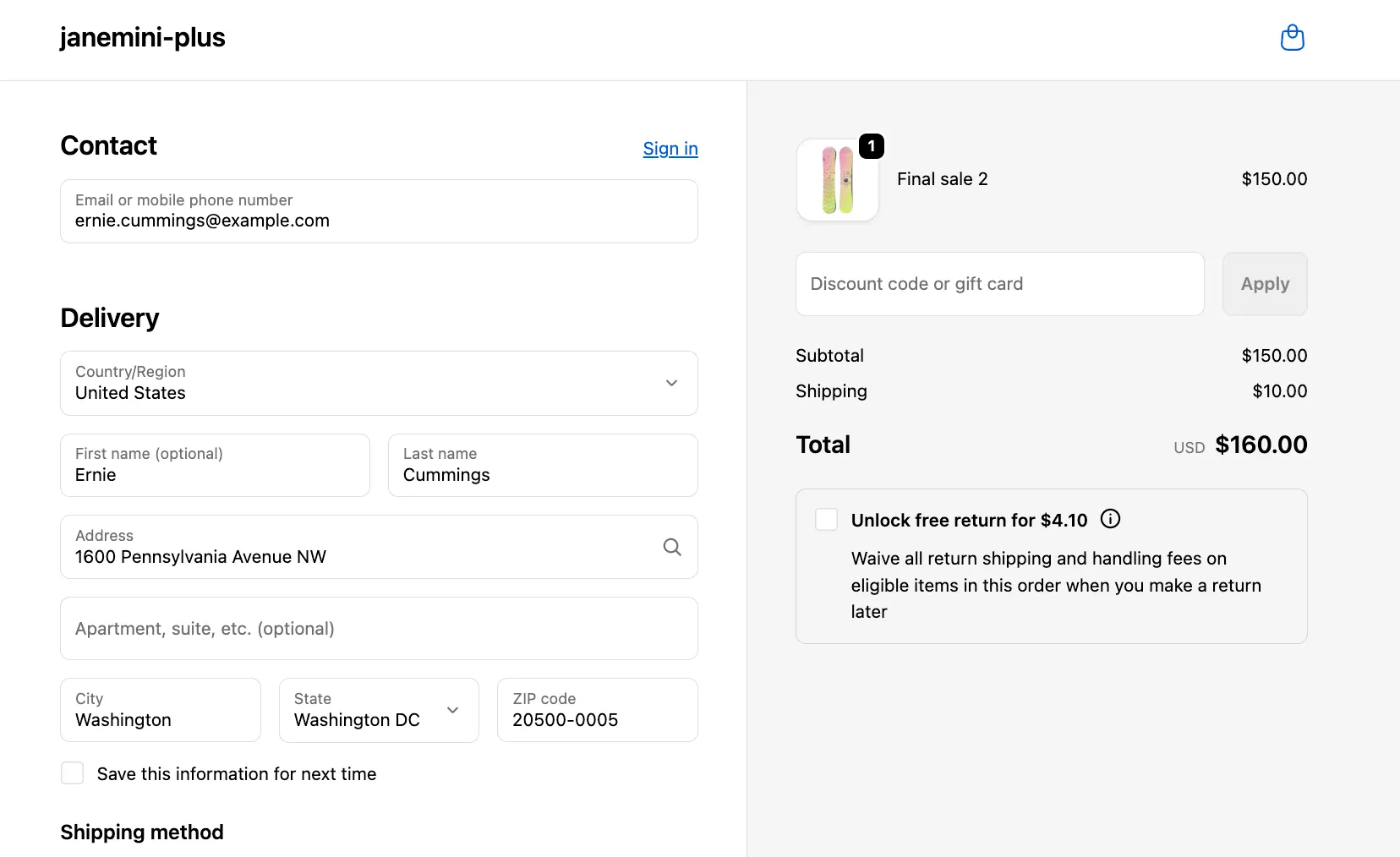
Here’s a preview of a checkout page with Checkout+ displayed:
How to set this up?
Simply follow the steps below to have this set up on your store:
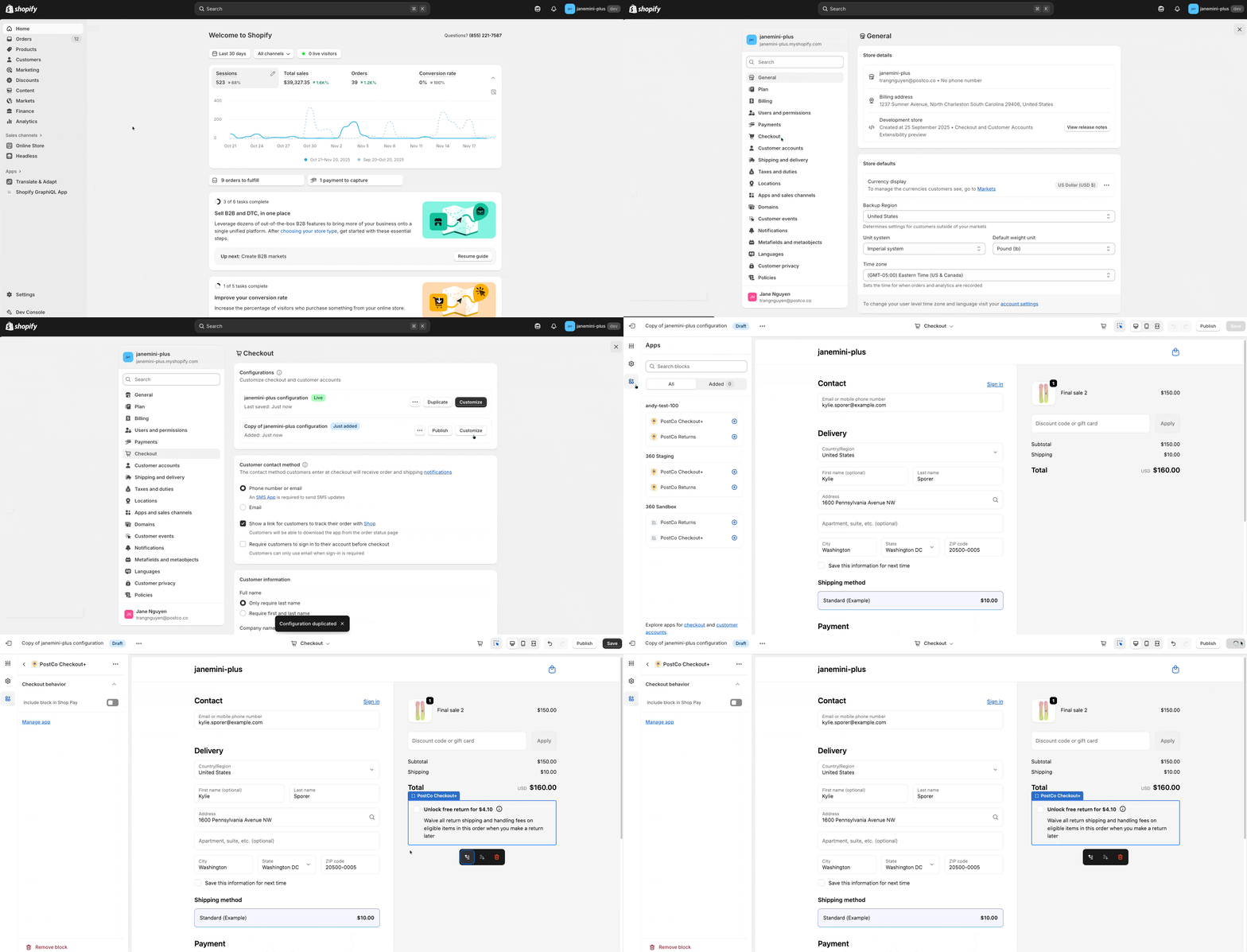
In Shopify, navigate to your checkout page settings by clicking on Settings > Checkout
Duplicate a copy of your current checkout page configuration by clicking on ‘Duplicate’
Proceed to customise the duplicated copy by clicking ‘Customize’ - you’d be redirected to the Shopify Theme Editor
In the Theme Editor, select the Apps tab on the left and click '⨁’ on the PostCo Checkout+ app block and select ‘Add to Checkout’
Once the above is completed, click ‘Save’ to save your changes and you may close the Theme Editor
Here’s a visual guide to walk you through the setup:
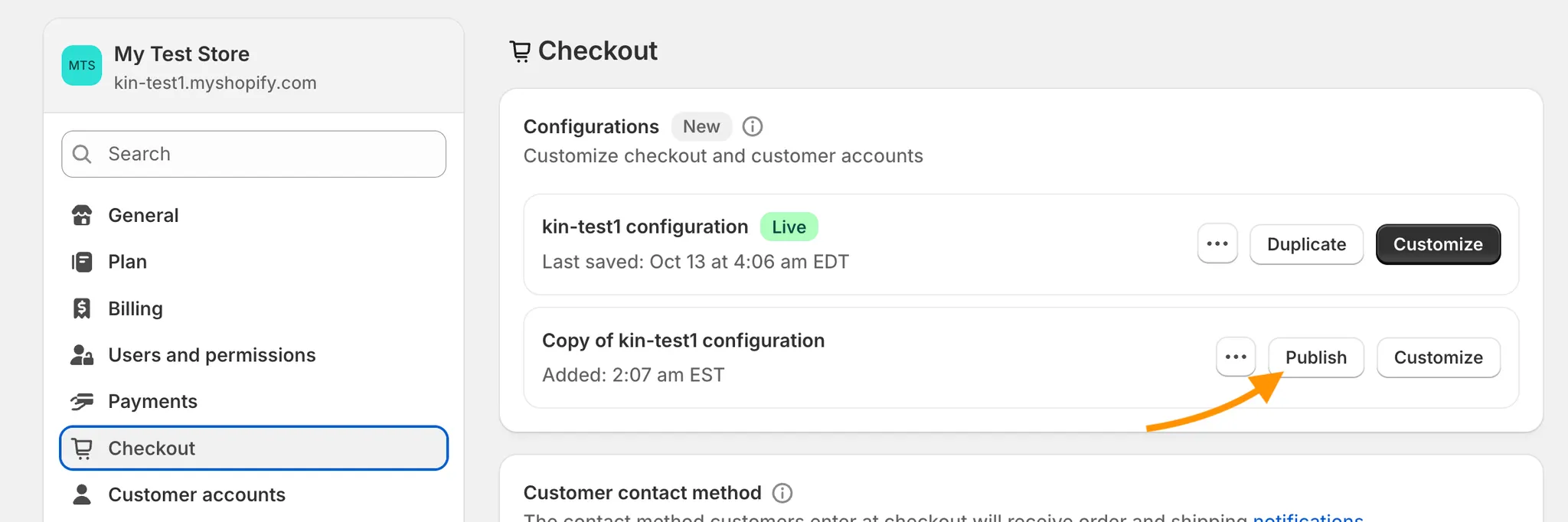
Publish your setup
After completing the setup above, simply return to your checkout page settings and publish your new checkout page.
Here’s how it looks like to customers