
Our integration with Klaviyo allows you to use return data to enhance email flows, personalise campaigns, and segment audiences effectively.
What you can expect from this article:
Manage return emails in Klaviyo – Consolidate and streamline all return-related notifications.
Customise return notifications – Easily modify emails using return data.
Segment users based on returns – Create targeted workflows and campaigns.
Setting up Klaviyo
To connect Klaviyo, begin by logging into your Klaviyo account. Next, go to the 'Settings' menu and select 'API Keys'. Here, you'll want to create a new Private API Key.
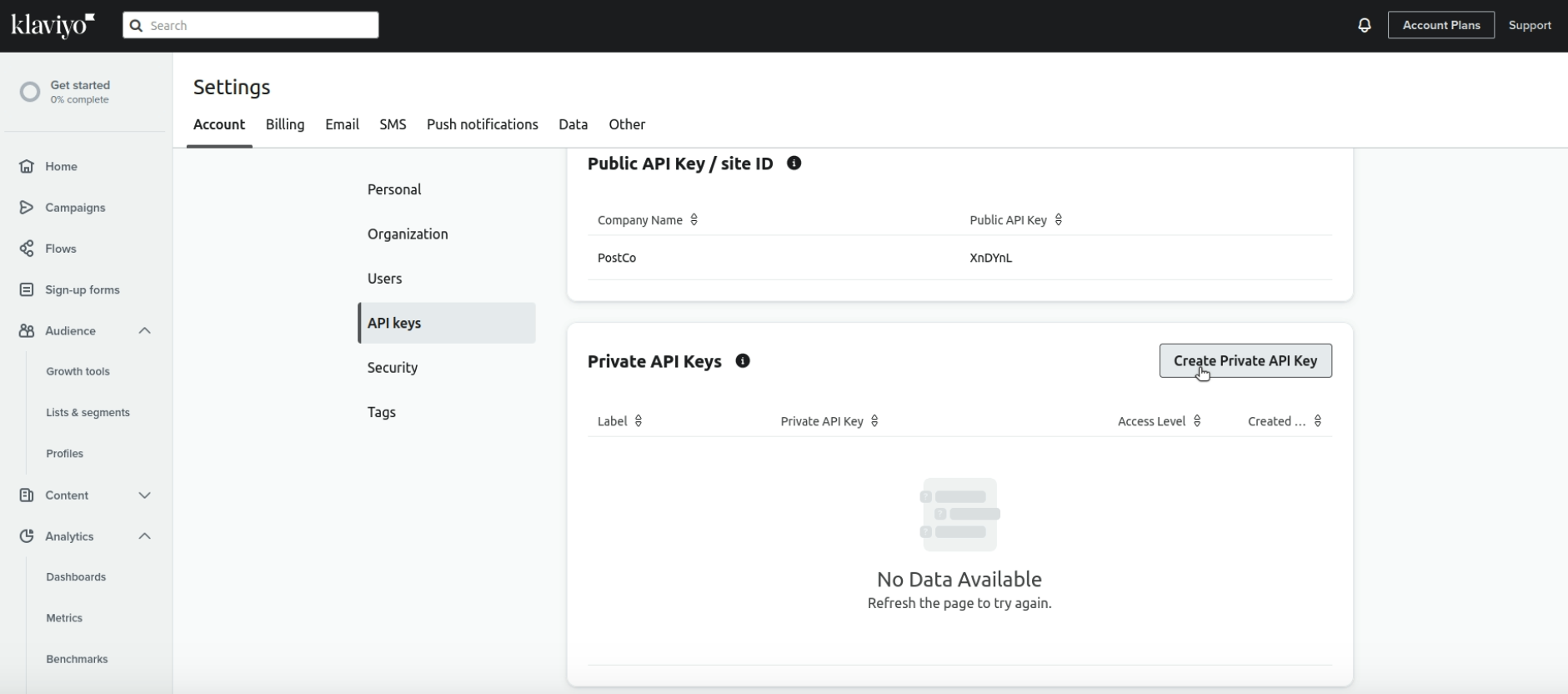
Name your API key and make sure allow full access for "Accounts" and "Events".
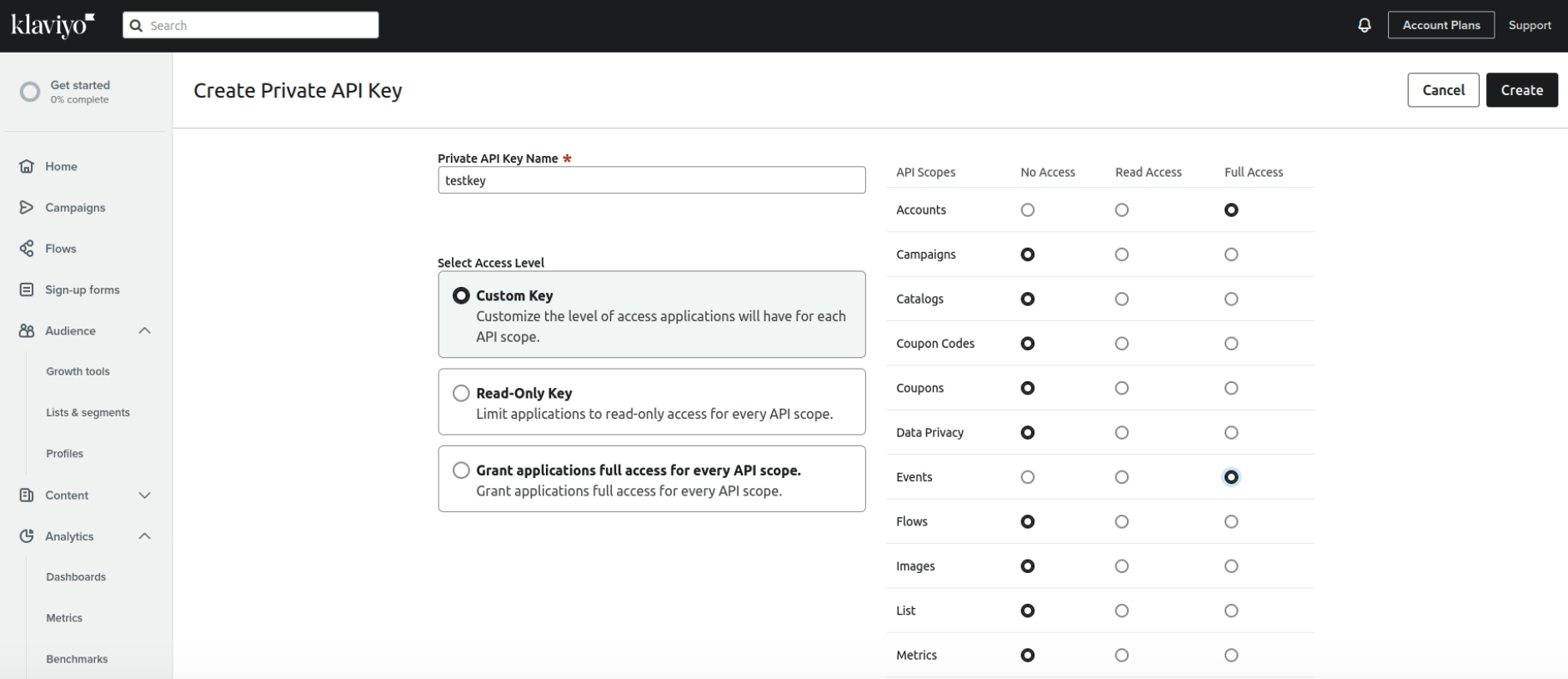
Next, head over to your PostCo dashboard. Go to 'App Integrations', choose 'Klaviyo', and click 'Connect'. Then, paste the Private API Key here.
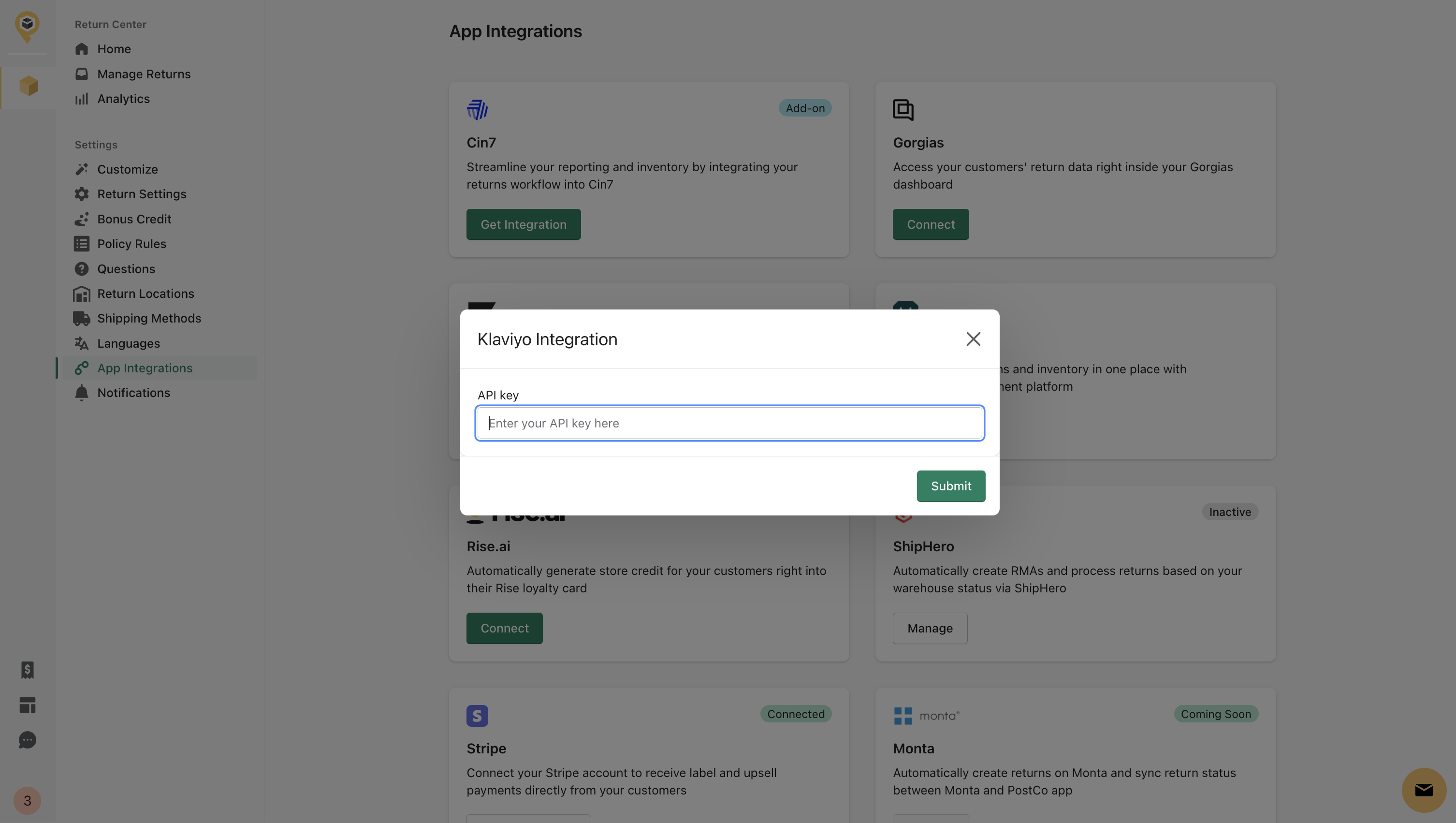
Manage return emails in Klaviyo
This integration allows you to send emails through Klaviyo rather than PostCo.
To achieve this, recreate PostCo's email notifications in Klaviyo. Disable any emails you create in Klaviyo within PostCo to avoid duplicate customer emails. You can choose what email notifications to be transfered to Klaviyo.
Note: For the list of PostCo's notification events and payloads, view here.
Example below is the Return Review email notification from Klaviyo
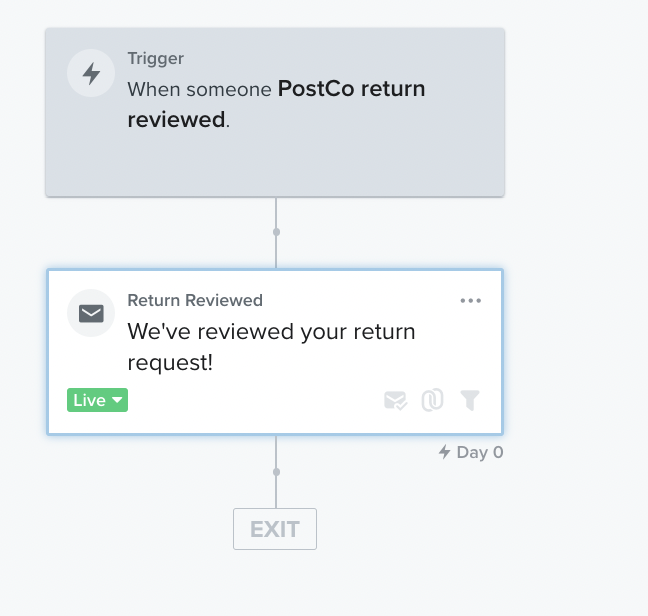
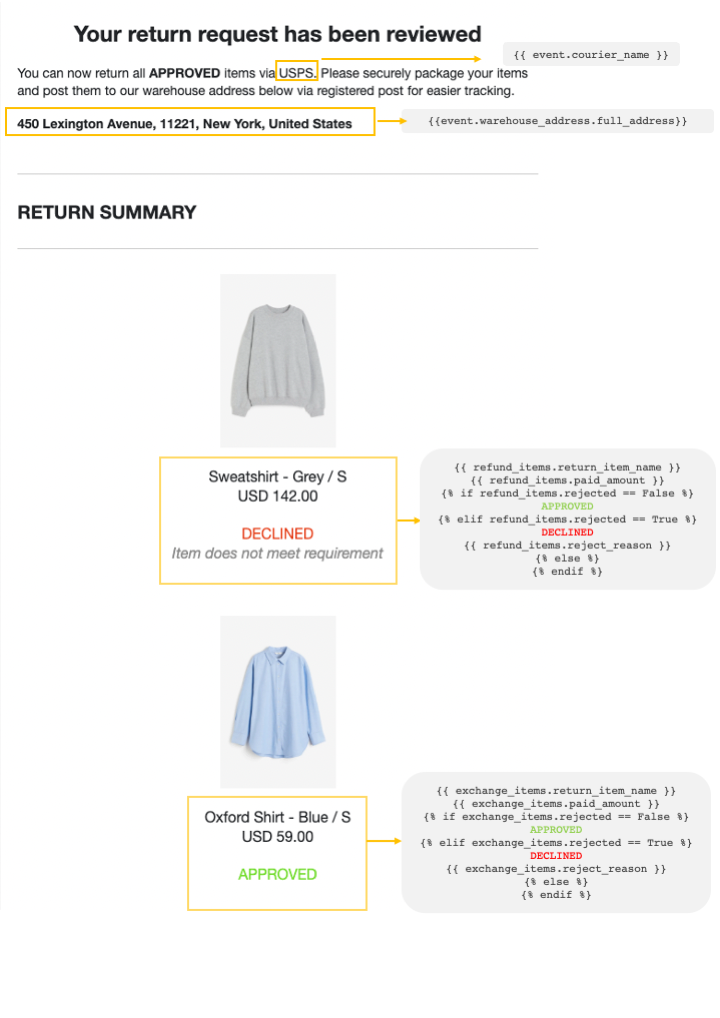
Here are the most frequently used variables in email templates that can be accessed from the events, you can see the full list here.
event.courier_name
event.shipping_method.name
event.warehouse_address.full_address
event.courier_name
event.tracking_url|
event.tracking_number
event.summary_url
event.exchanges.0.return_item_image_url
event.refunds.0.return_item_image_url
For refunds and exchanges, we would recommend using Klaviyo’s Content Repeat feature to loop through the indeterminate number of items within refunds and exchanges. For example, refunds are accessed through ##{{ event.refunds }} and can be aliased as refund_items.
In this example, here are some attributes that can be accessed from each refund_item:
refund_item.keep_item
refund_item.paid_amount
refund_item.refund_issued
refund_item.refund_method_name
refund_item.reject_reason
refund_item.rejected
refund_item.return_item_image_url
refund_item.return_item_name
refund_item.show_sku
refund_item.sku
refund_item.status
refund_item.store_credit_created
Similarly, exchanges can be accessed through ##{{ event.exchanges }} and can be aliased as exchange_items. These are some of the attributes that can be accessed:
exchange_items.exchange_item_name
exchange_items.exchange_order_created
exchange_items.keep_item
exchange_items.paid_amount
exchange_items.reject_reason
exchange_items.rejected
exchange_items.return_item_image_url
exchange_items.return_item_name
exchange_items.show_sku
exchange_items.sku
exchange_items.status
Customise return notifications
You can now edit return notifications and add PostCo’s return data to your emails directly within Klaviyo. This simplifies the process of tailoring your messages. By using your regular Klaviyo templates, you’re able to maintain a cohesive brand identity across all your email communications. This consistency in both the look and messaging reinforces your brand's image and message with your audience.
Segment users based on returns
This integration allows you to use PostCo's return data to create customised segments, enabling you to provide your personalised campaigns. For instance, you can set up a unique workflow for first-time returners to include them in a cross-selling promotion, omitting promotions for frequent returners, or integrate returns data with data from other apps to create a unique segment for your campaigns.