
Overview
The SMArtX Rebalancer tool helps you scale operations by automatically scanning your accounts for common trading scenarios. Cut through the clutter and focus on what needs action, all from one centralized interface.
Watch Me
Read Me Quick Guide
Step 1: From the Dashboard - Select Accounts to Rebalance or the Rebalancer option from the left hand navigation.

Step 2: From the filtered list of accounts, spot those accounts that need attention easily—like those ready for their first rebalance, with unusually high or low cash, or with positions outside target tolerances.

Step 3: Select one, several, or all accounts that require action using the checkboxes aligned to the account.
Step 4: Once you've selected the accounts to view, select Generate Proposed Trades.

Step 5: Review each account’s details in the pre-trade review to confirm which need rebalancing. Carefully review the detailed list of proposed trades, ensuring that the adjustments align with your intended portfolio strategy. This step helps you avoid any unintended changes to the accounts.
Click View Pending Requests
View Details
Select the Account to review the details


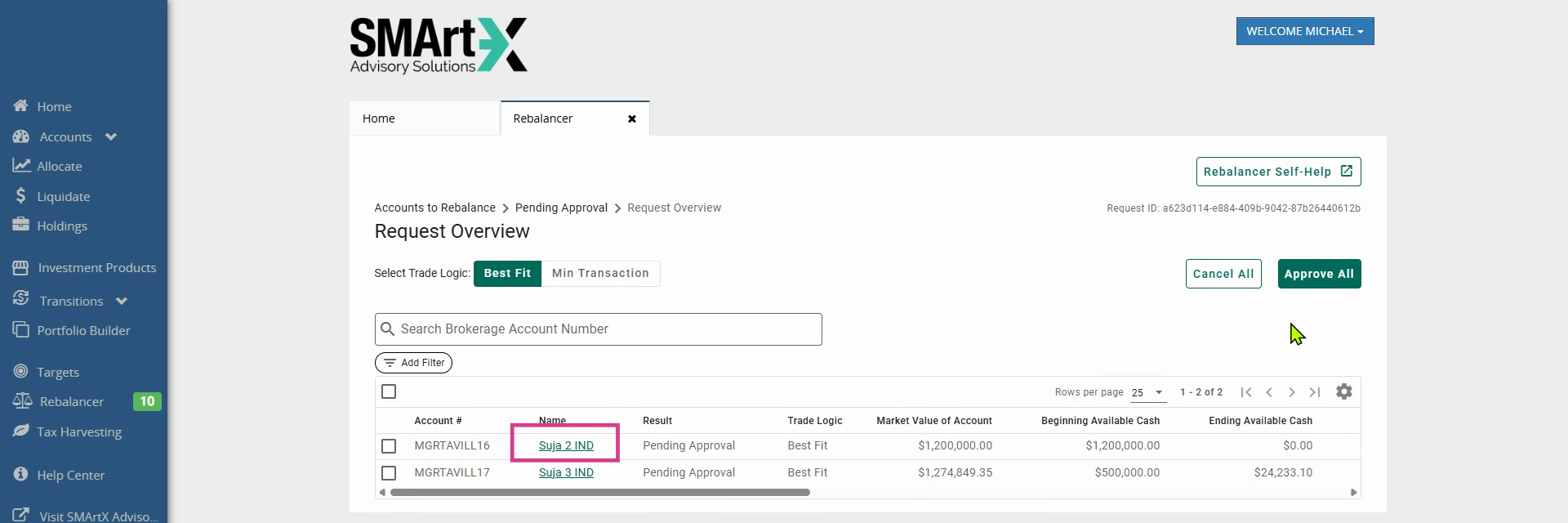
Step 6: Once details have been reviewed, and you've approved, go back to the Pending Approval option. Navigate to the Pending Approval section, select an account to review the proposed trades by clicking on the underlined account name, and ensure all adjustments fit your strategy.

Step 7: Approve the relevant rebalance requests by clicking Approve. This ensures all trades align with your investment goals before execution. Manual approval reduces the likelihood of unintended changes, providing you with full control over the rebalancing process.

Step 8: Once you've selected Approve, you must go to the History Tab, refresh the page, to view Failed and Complete columns and the Result status.
Important: If the Complete status has a number within the Failed column, there could be requests that have failed accounts within. Reach out to Client Support to help address this if needed.

Rebalance Requests will be in one of the following statuses:
Complete - Your submission has been successfully submitted and SMArtX is
proceeding to submit orders to your custodian for execution.Failed - The rebalance request has Failed and the user will need to review the
issue message by clicking on the rebalance submission and reading the Issue
field. This indicates a full failure of the rebalance request.Expired - The rebalance request was submitted but not Approved from the prior
business dayCanceled - The rebalance request was cancelled rather than being approved by
the user. No trades were requested to be submitted
With SMArtX Rebalancer, you turn complex analysis and review into a quick, unified process. Keep your team in sync and your accounts optimized with just a few clicks.