
You can reschedule or cancel your Casper test by following the instructions below.
Reschedule your Casper Test
Reschedule your Casper Test
You can reschedule your Casper test to a different date or time, even if your original test date has already passed, as long as other test dates are still available for your test type and the programs on your distribution list.
To see available dates, check the Dates and Fees page.
If there are no test dates left in the current admissions cycle, it means the final Casper testing window has closed for one or more programs on your distribution list. In this case, you’ll need to remove those programs before rescheduling.
See our How Do I Remove or Swap a Program From My Distribution List? article for help.
Rescheduling fees:
Free: If rescheduled 31 days or more before your original test date.
$20 fee: If rescheduled within 30 days of your test date or after it.
Fee waivers may apply if you have verified technical or medical issues or are approved for a fee assistance program honoured by Acuity Insights.
If you have approved accommodations
You’ll need assistance from the Acuity Insights Team to make changes to your test date.
Once you’ve chosen a new date, contact us through the chat bubble or email support@acuityinsights.app at least one week before the new test date, including:
Your current test details
Your requested new date and time
This helps ensure your accommodations carry over properly.
📌 Steps to reschedule:
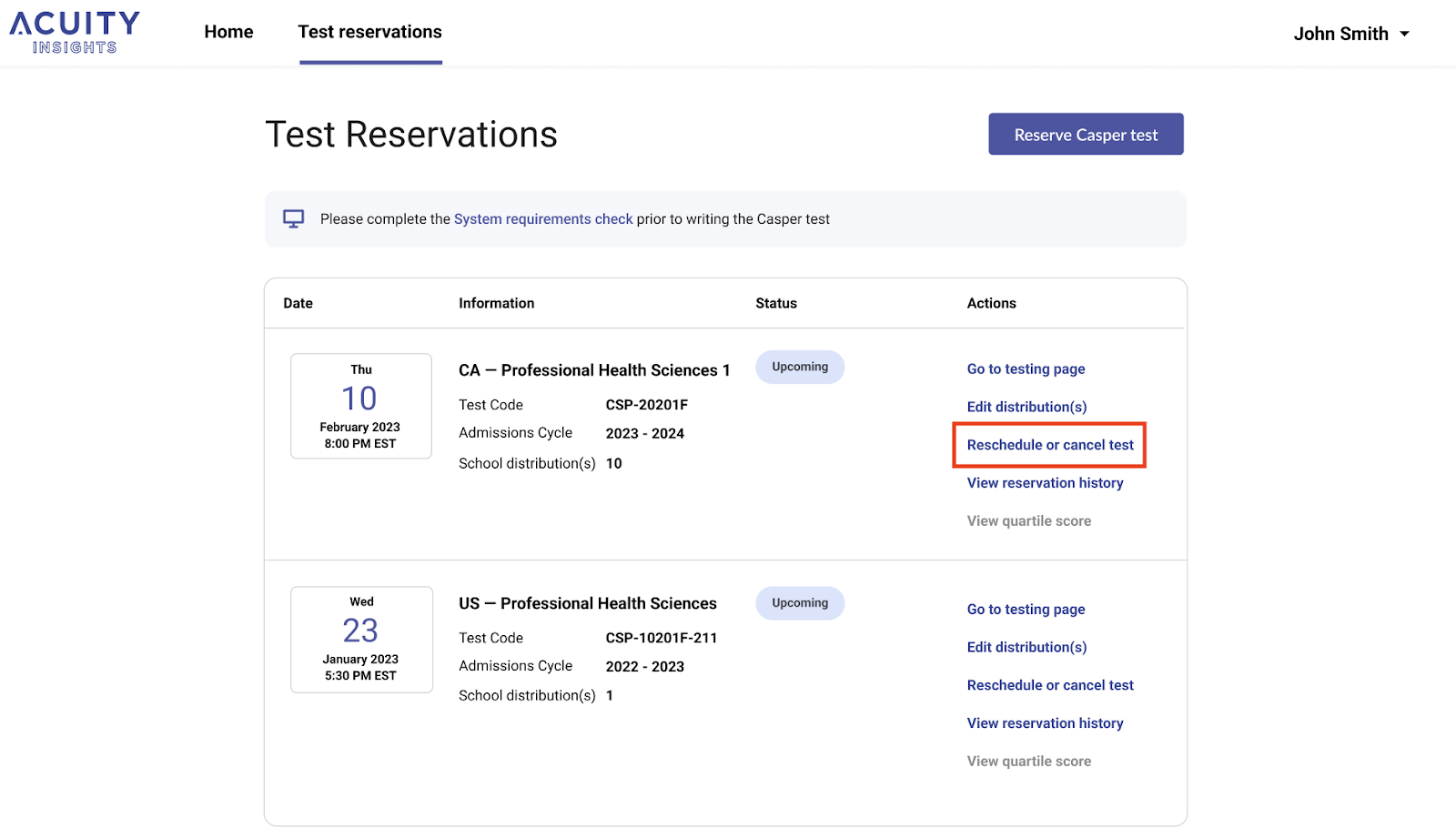
Go to the Reservations page in your Acuity Insights account
Click Reschedule or cancel test
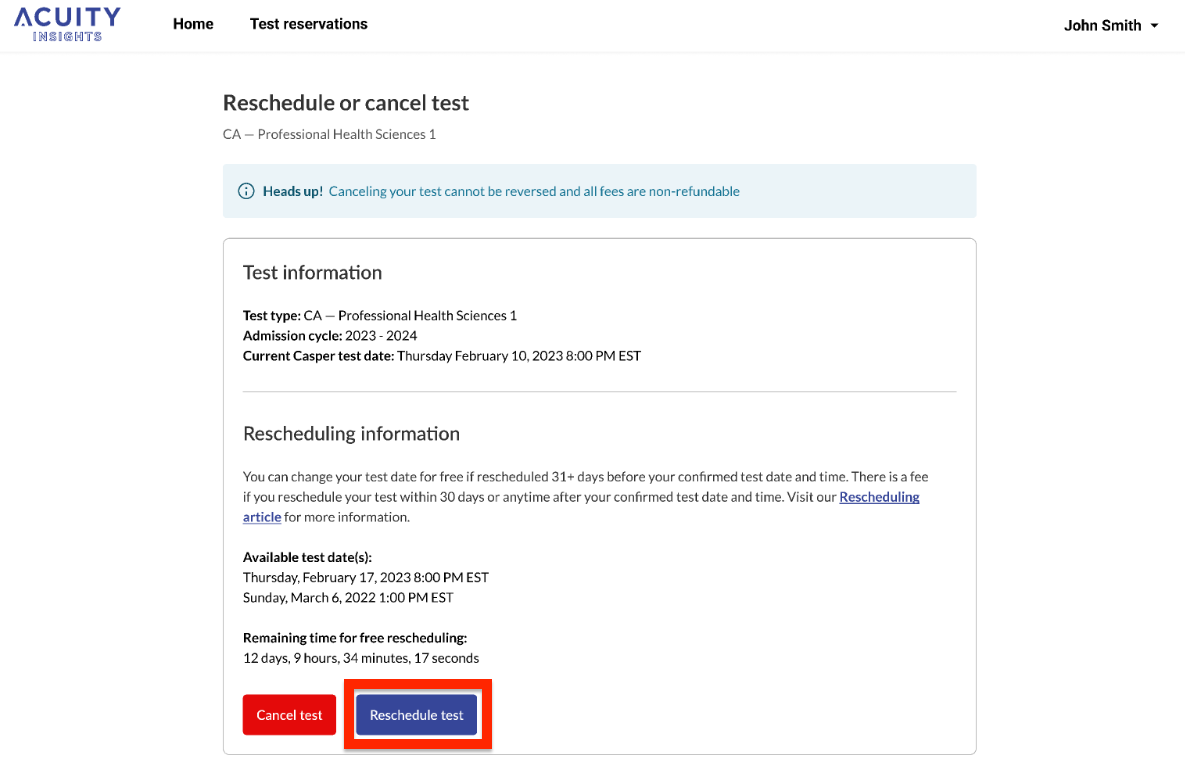
Select Reschedule test
Choose your new test date and complete the rescheduling
Cancel your Casper test
Cancel your Casper test
You may cancel your Casper reservation as long as you haven’t started the test.
⚠️ Important: Cancellations are definitive and non-refundable, as per our Terms of Use.
📌 Steps to cancel:
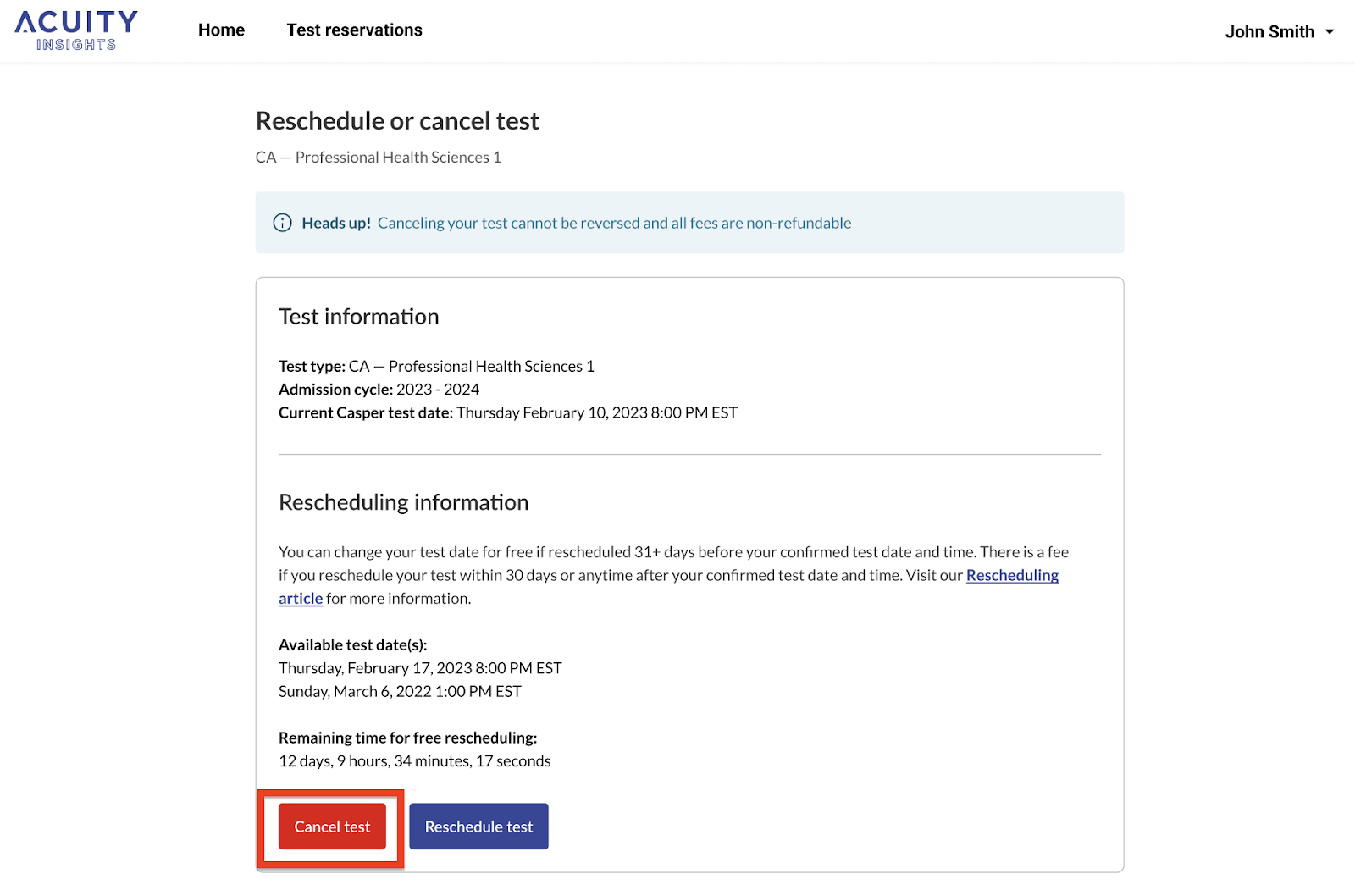
Go to the Reservations page in your Acuity Insights account
Click Reschedule or cancel test
Select Cancel test
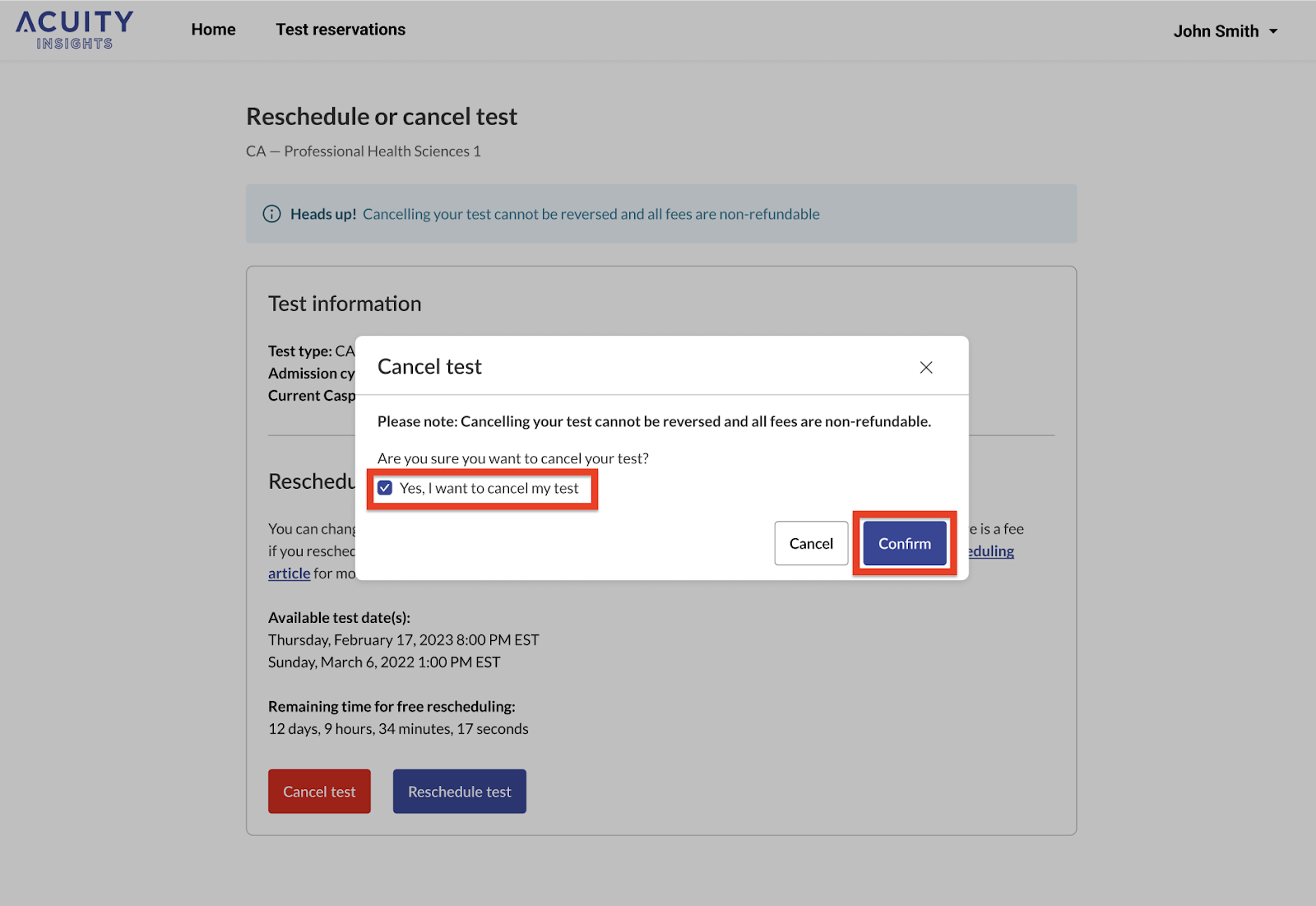
Confirm your cancellation
You’ll see all changes in your Reservation History for the test.
What if I’m unavailable on my Casper test date?
All Casper test dates and score distribution deadlines are arranged in advance in collaboration with academic programs. We are unable to accommodate individual schedules or provide custom test dates.
Preparing to test while travelling
If you will be travelling, it is your responsibility to arrange access to a computer, webcam, and a reliable internet connection that meets our System Requirements Check. You can find this tool in the Casper section of your Acuity Insights account.
School or work conflicts
If you’re unable to take the Casper test due to school or work obligations, we encourage you to speak with your instructor or supervisor. It’s important to explain that this is a high-stakes exam, and accommodations from them may be necessary to allow you to complete it on time.