
Smart Arming feature automatically arms your system Arm Stay when you go to bed and Disarm it when you wake up. Smart Arming can be activated at a set time or when sensors detect activity. Smart Arming ensures that the system is secure every night while preventing false alarms.
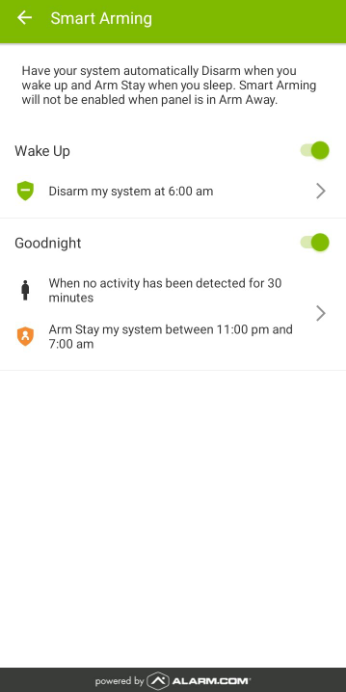
To configure Smart Arming using the Fluent app
Log into the Fluent app.
Tap Security System.

Tap Smart Arming.

Tap Wake Up to enable the disarm feature.


Tap Goodnight to enable the arm stay feature.


To configure Smart Arming using the Alarm.com website
Log into the Alarm.com website.
On the Security System card, click the Smart Arming icon.
Click Smart Arming.
Note: Smart Arming can also be accessed from the Automation page.


Additional System Considerations
Smart Arming will not activate if a system is in Arm Away
Smart Arming is only available for security systems with one partition
Sensor-based Arm Stay uses contact and motion sensors to detect activity; users select which sensors to include
Sensor-based Disarm uses motion sensors only so someone breaking can not disarm the panel; users select which sensors to include